Dark mode, for night watches
A bright screen on a night watch ruins your night vision: the site now follows your device's dark theme, maps included.
On a night watch, the eyes take a long while to get used to the dark, and one glance at a bright white screen undoes it all: for minutes afterwards, the lights of the other boats and the line of the coast are hard to make out.
Every page of Saily WR now follows the light or dark theme of your device: in the dark, the pages and the maps turn dark. There is nothing to set: change your device's theme and the site follows at once.
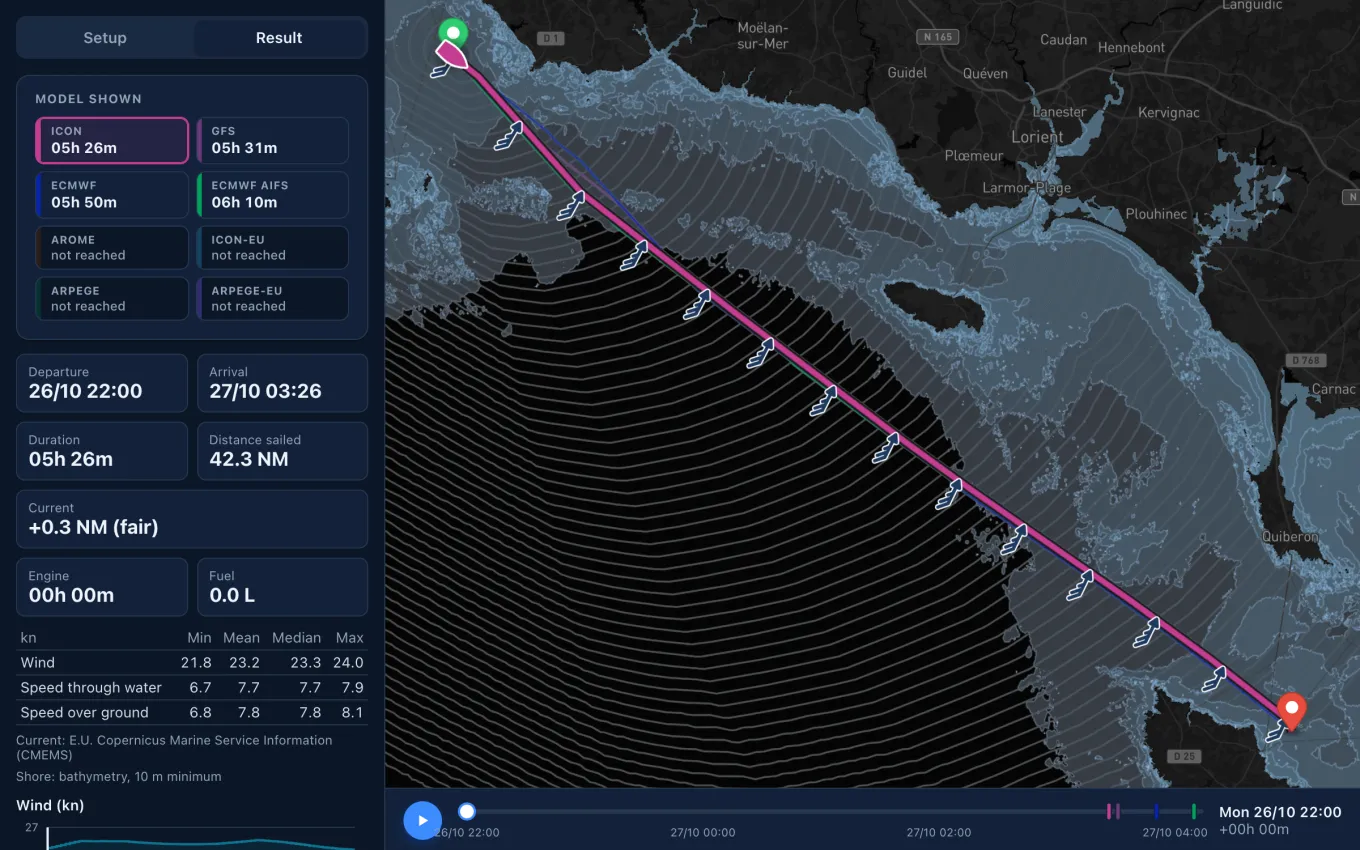
It reaches every page and every map, the route drawn over the chart included. Most phones and computers can also switch to their dark theme by themselves at sunset: set yours that way, and Saily WR is already dark when the first night watch begins.
Two in the morning, halfway across, the off-watch crew asleep below. A new run is out, and with it the question of the night: does the wind still back at dawn, and should you tack before it does? The routes can be computed again in the cockpit and the models compared instant by instant, without a white glare in the eyes, and the lights of the ship crossing ahead are still in sight when you look up.
A dark screen is no red light, though. Turn its brightness down too, to the lowest you can still read, and look away as soon as you have your answer; the red colour filter some phones offer goes further still.
Sources
- Adaptation (eye), Wikipedia
- Pilot Vision, Federal Aviation Administration