Wind and current all around the route
Where does the better breeze lie, where does the stream run? The map now shows the wind or the current all around the route, hour by hour.
The barbs along a route give the wind where the boat will be, and nowhere else. Is the breeze filling from the west or dying from the east? Is there a hole a few miles off the line, more wind beyond the next headland, a stream setting across the passage? A route is one line drawn through a wind and a sea you cannot see, and when the sky out there disagrees with the forecast, you want to know on which side of the line the better breeze lies.
Once every model's route is computed, the routing map now shows the wind all around the route: its strength as colours, and particles drifting the way it blows, the faster the stronger. It is the wind of the model shown, from the very run its route was computed in, at the hour of the time cursor: press play and the passage unfolds in its weather, the breeze veering, filling or dying around the boats. Choose another model and the map shows its wind instead: switching from one to the other shows where two forecasts put the same front, or the same calm.
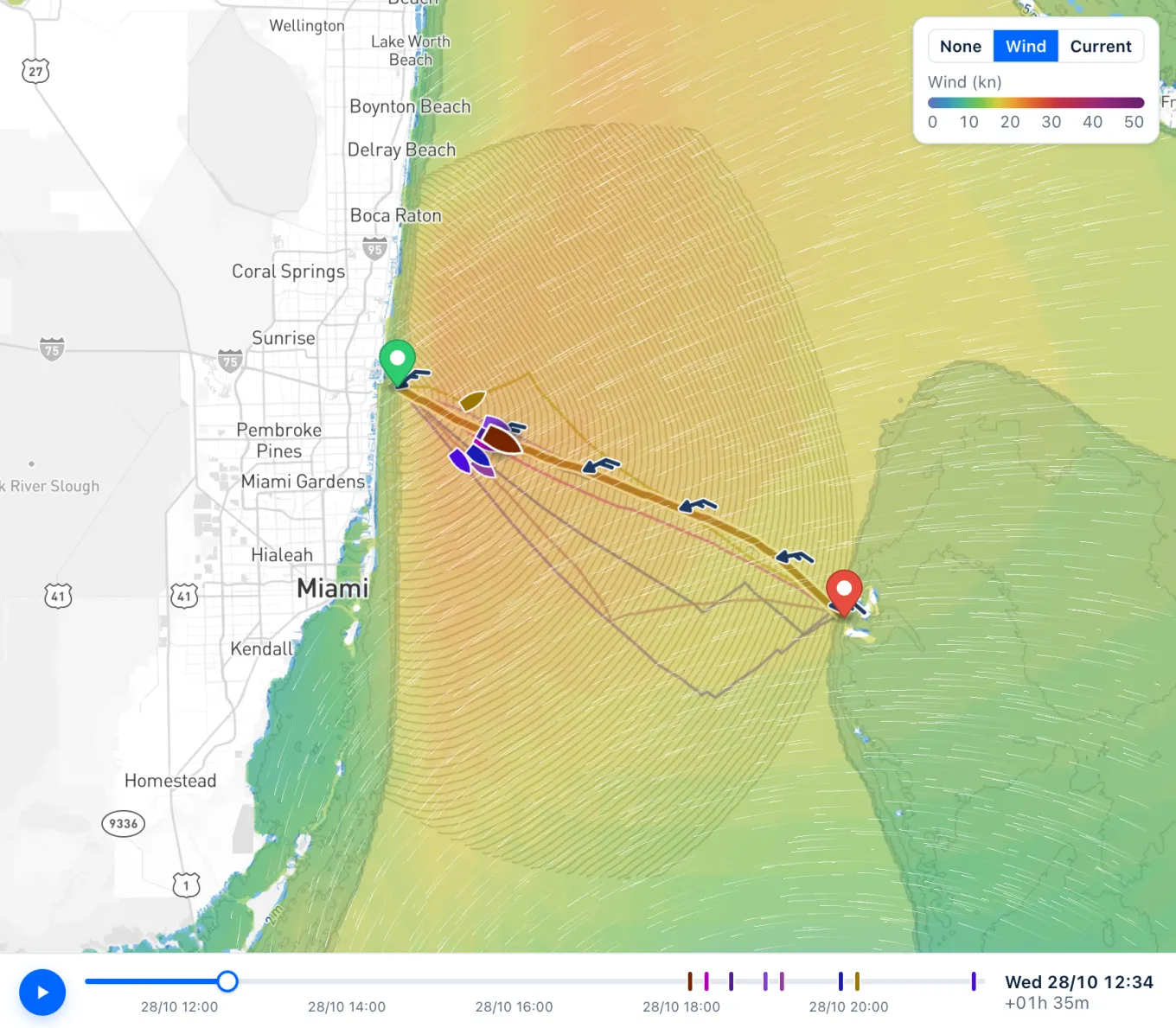
The Current button shows instead the current the route was computed in, SMOC with its tides or NOAA's RTOFS, in the same way: its strength as colours, particles drifting with the stream, hour after hour. Both show over the sea only, and a regional model's wind only within its own area. The colours stay as you zoom in towards a stretch of coast, the depths showing through them, and fade only close in on a harbour. The map remembers your choice on your device: the wind, the current, or neither, for a clear chart.
Take the classic crossing from Fort Lauderdale to Bimini, nearly fifty miles over the Straits of Florida. Switch to the current, and the Gulf Stream appears, a band running north through the middle of the passage, whose place and strength shift a little from day to day. Waterway Guide is plain about it: never set out with any north in the forecast wind, north-east included, for wind against current raises the steep, square seas inshore sailors call elephants. Back to the wind, play the cursor through the hours the boat spends in that band: if the breeze blows from the east-north-east, as it may, the map tells you before you leave. Try a departure a day earlier or later, and keep one whose wind has no north in it while you cross the Stream.
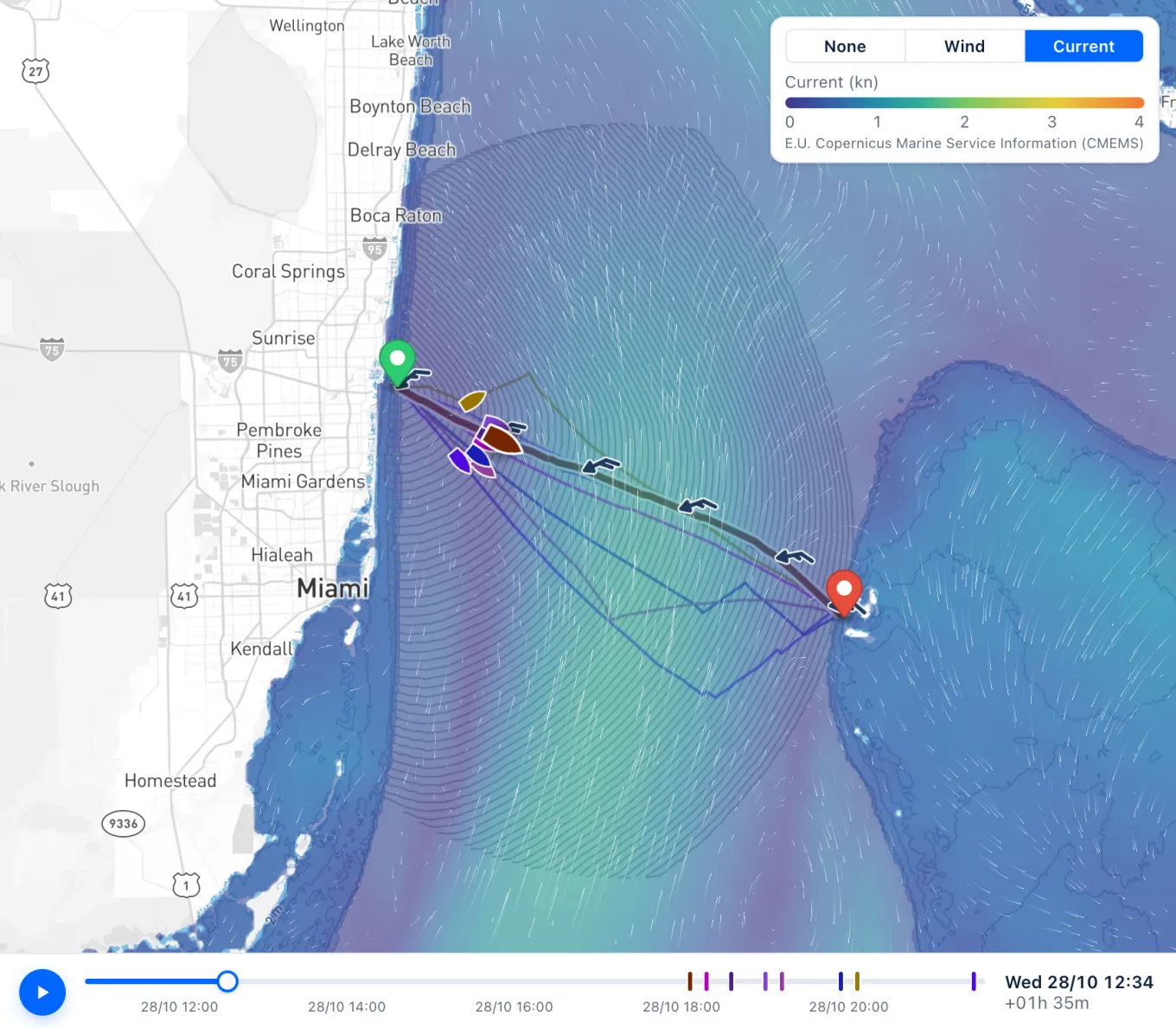
The map shows a forecast, not the sea. The wind is the model's mean wind at ten metres, never its gusts, which stay in the route's charts and summary. The current is the model's estimate: NOAA gives the Gulf Stream about three and a half knots on average and close to five at its fastest, often well above what the colours show; and a model that sees the sea every nine kilometres or so misses the stream of a narrow tidal channel altogether. Read the map for where the wind and the stream lie and where they change; on the water, the sea itself has the last word.
Sources
- How fast is the Gulf Stream?, National Ocean Service, NOAA
- Tips & Strategies for Crossing the Gulf Stream, Waterway Guide (2025)
- Global Ocean Physics Analysis and Forecast, Copernicus Marine Service